The bookings. The client care. The getting paid. Comb brings the business bits together, so working for yourself feels a little less like doing everything yourself.
From the first booking to the last receipt. With a little room to breathe.
Booking & calendar
Less “Does Tuesday work?”
Let clients find their next appointment while you get on with the one in front of you.
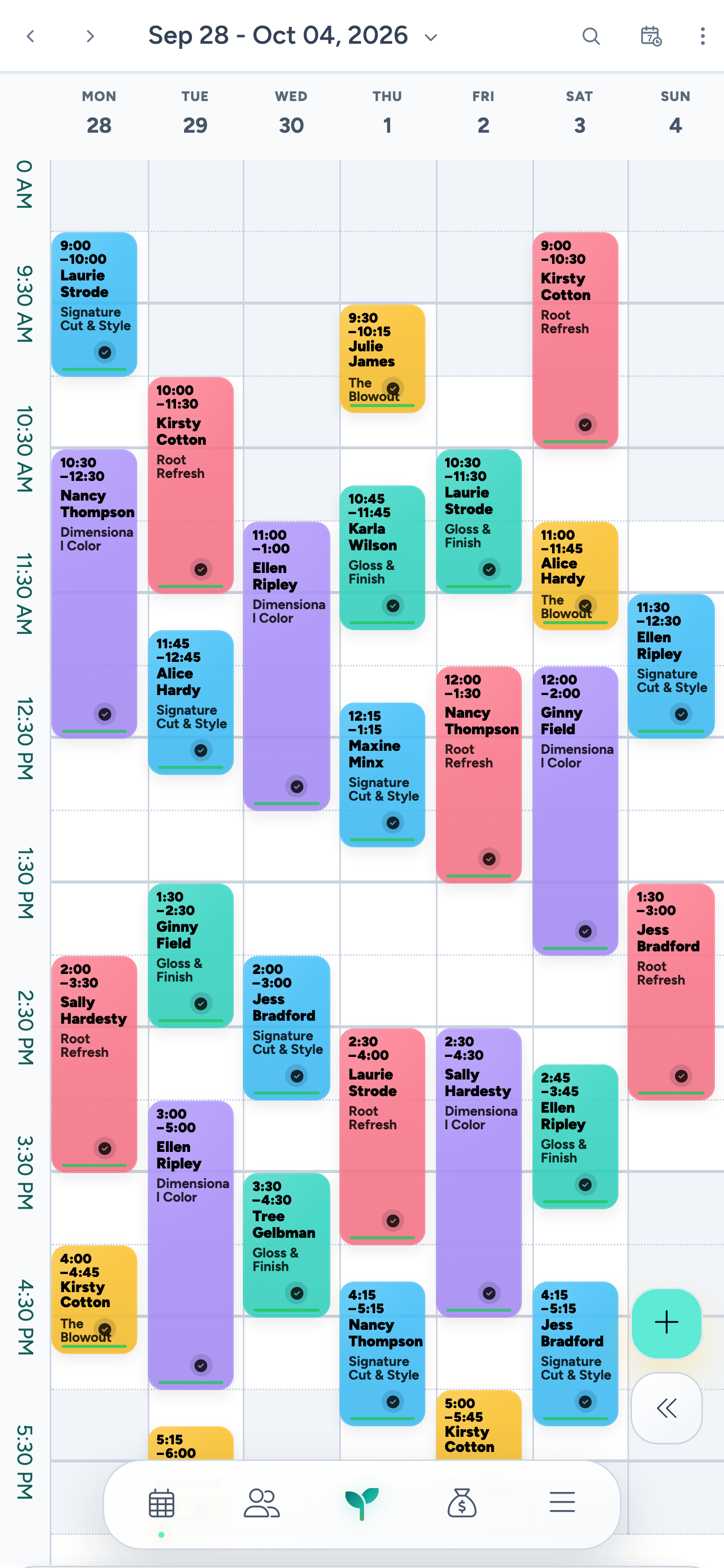
Seven days. One little screen.
↗
Your week. In your pocket.
Cuts, color, your next client. Get the whole week in view, wherever you are.
Inside Comb · Fictional demo details
A calendar that knows your working day.
Bring appointments, working hours, and personal time together. Set service durations, processing gaps, and cleanup time around the way you actually work.
Your booking rules. Up front.
Offer online booking with your service menu, booking policies, and deposit requests. Enable inspiration and current-look photo uploads so clients can share references before they arrive.
Keep the next visit in sight.
Manage your waitlist and rebook clients, so an opening or a goodbye can become the start of another appointment.
YOU RUN THE BUSINESS. YOU SET THE PACE.
Your calendar. Your call.
There’s more than one way to fill a day. Choose a booking method for your week, then shape availability around your clients and the way you like to work.
01Regular availability
Open the hours. Let them choose.
Set your weekly working hours. Clients choose an available time that fits their service and your booking rules.
Your working day
Weekly hours
Available openings
Service durations
02Block scheduling · Exact starts
A little more “these times work.”
Handpick the start times clients can book. Make a start available for any service, selected services, or VIP clients only. Days without exact starts keep regular availability.
For example, offer starts at
9:00 AM
11:30 AM
2:00 PM
03Services by day
Color days. Cut days. Your days.
Give selected services their own days of the week. Services you haven’t assigned stay available on days without a service menu.
A week with a rhythm
Tuesday · Color
Thursday · Cuts
Pick the approach that fits: Regular availability, Exact starts, or Services by day. Exact starts and Services by day are alternative weekly methods.
VIP schedules
A little extra room for your regulars.
Set separate hours for clients you’ve marked as VIP. When enabled, their VIP hours replace the regular hours for that day. You can also let VIPs see broader availability by bypassing Swarm.
✓Dedicated VIP hours
✓Optional Swarm bypass
Meet Swarm
Bring the bookings a little closer.
Swarm filters online openings around existing appointments to help keep your day compact. Choose Lax for more choice or Snug for tighter grouping. On an empty day, start with morning, evening, both ends, or any time.
✓Lax or Snug
✓Choose how the day starts
And your boundaries still matter. Daily booking limits work with every method. Swarm changes the openings clients see; it doesn’t move appointments already in your calendar.
Being good at your craft is one thing. Keeping tabs on what comes in, goes out, and needs restocking is another.
Give every expense a home
Comb / Your business
↗
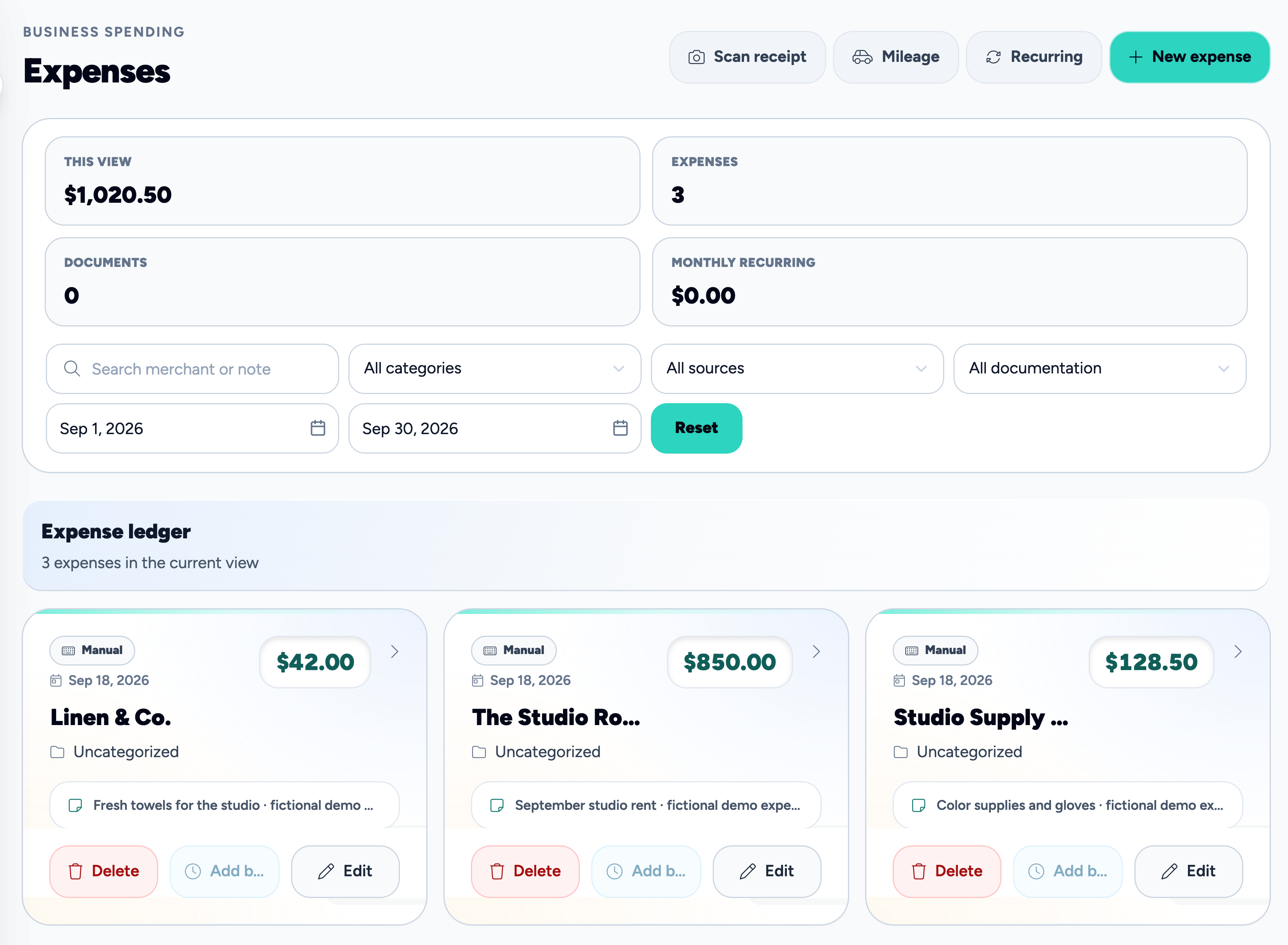
Future you says thanks.
Studio rent, supplies, the little extras. See where the money goes.
Inside Comb · Fictional demo details
Give those receipts a home.
Record expenses and recurring costs, scan receipts for review, and log business mileage.
Know what’s on the shelf.
Keep track of retail products, backbar stock, and supply usage, with stock history to help you follow the details.
See how the day adds up.
Use daily recaps and financial reports to review your activity and the costs you’ve recorded.
02
Care for your clients.
The little details are a big part of why they come back. Keep them close.
Client care & records
Remember the little things. Even on the big days.
Their last visit. Their preferences. That thing they mentioned before they left. Give every client a story you can pick back up.
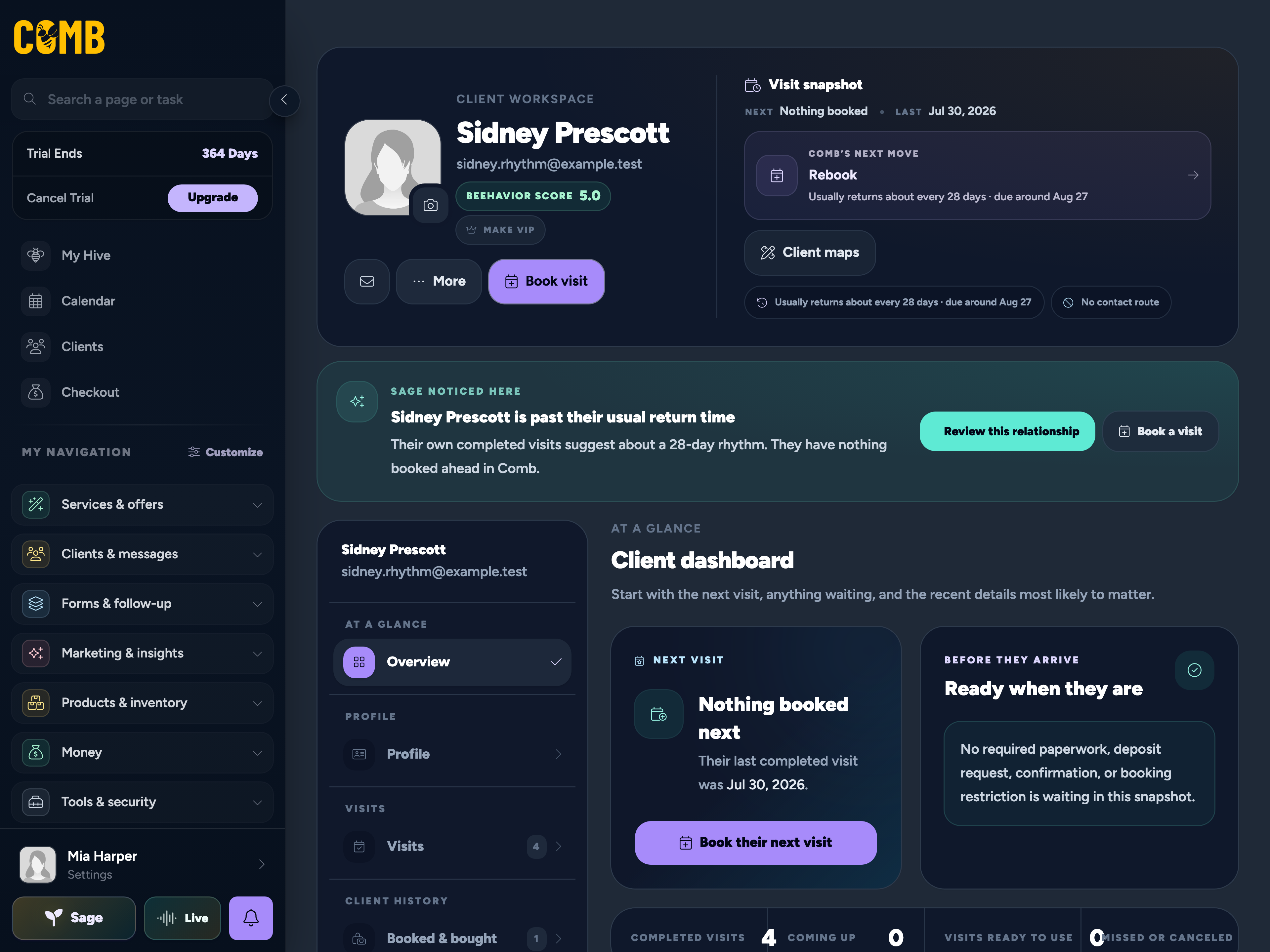
The client overview, with Sage
↗
More than a name on the calendar.
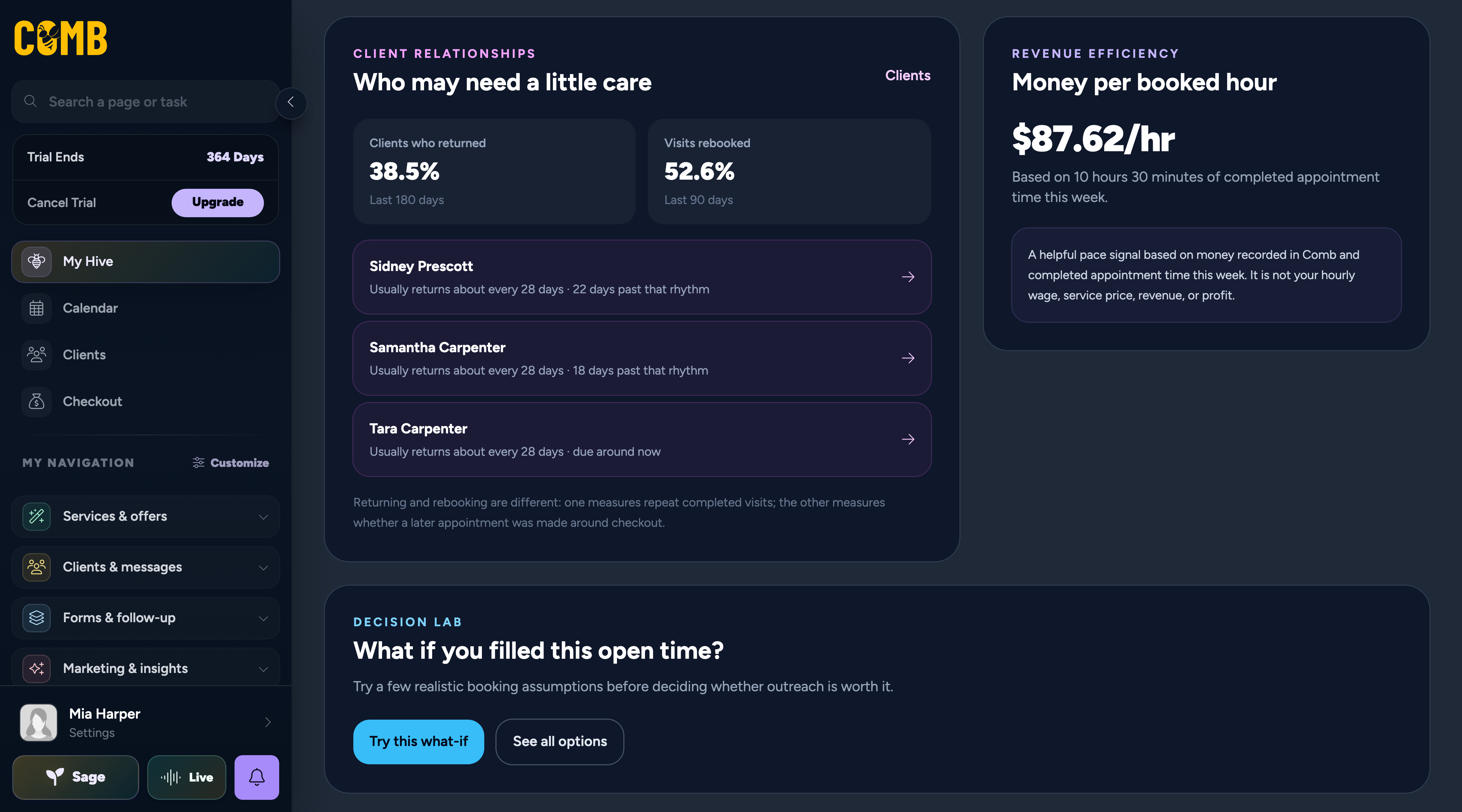
Sage surfaces a return signal right alongside the client’s story.
Inside Comb · Fictional demo details
Their story, in one profile.
Mark clients as VIP, add your own tags, and keep visit history and photos close. Categorize notes for style preferences, allergies, formulas, and products; pin a detail to the appointment or set a reminder.
Paperwork with a place to live.
Collect forms, waivers, and signatures. Keep documents and treatment notes alongside the client they belong to.
A little help noticing.
Sage brings useful client context and return signals into view, helping you spot who might be due some attention.
Lash, brow, extension & treatment mapping
Your signature work. Down to the last detail.
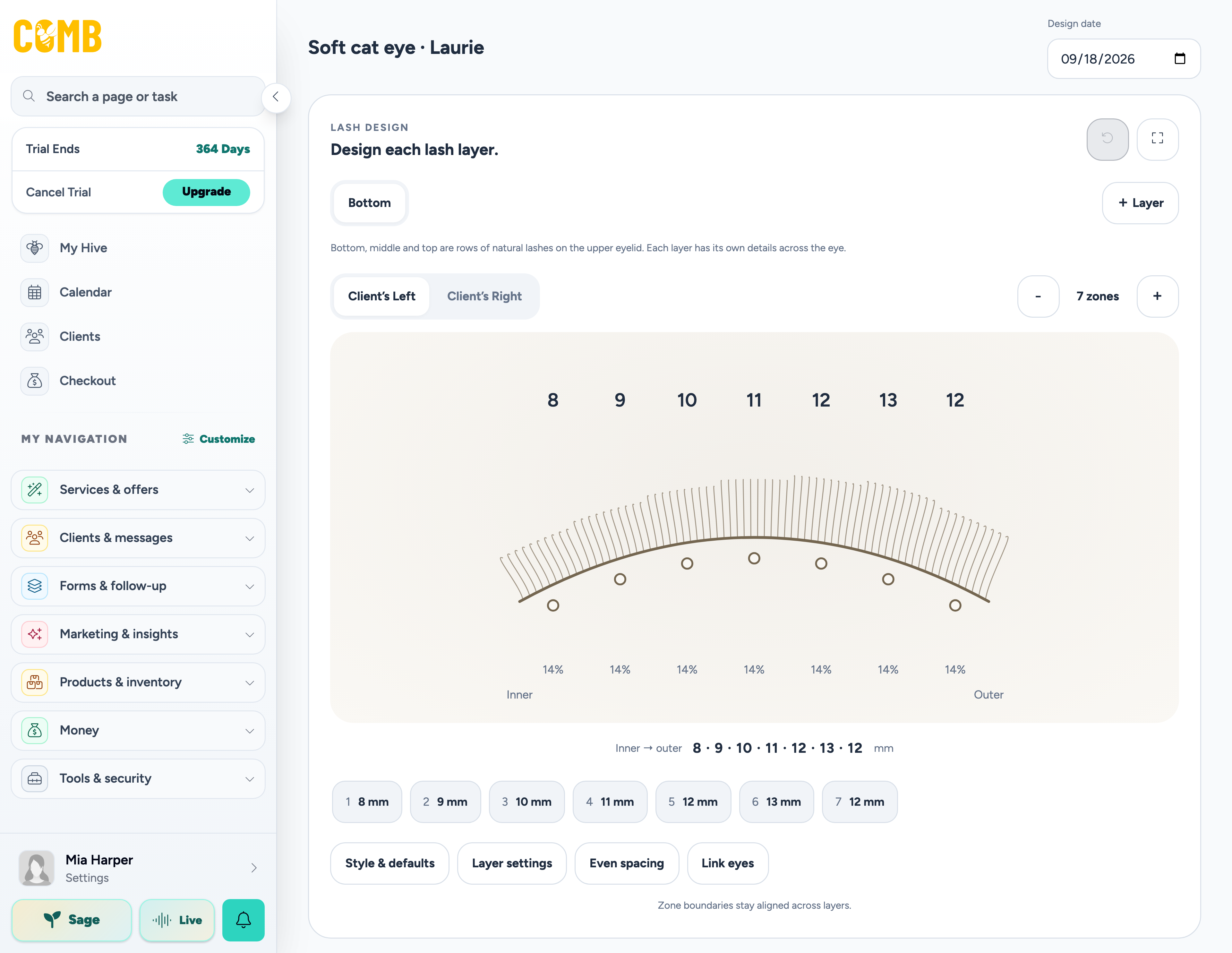
Lash lengths. Brow shape. Hair extension placement. That tiny adjustment that made it theirs. Keep a visual record you can pick up at the next visit.
The detail is the difference
↗
Your craft has a memory.
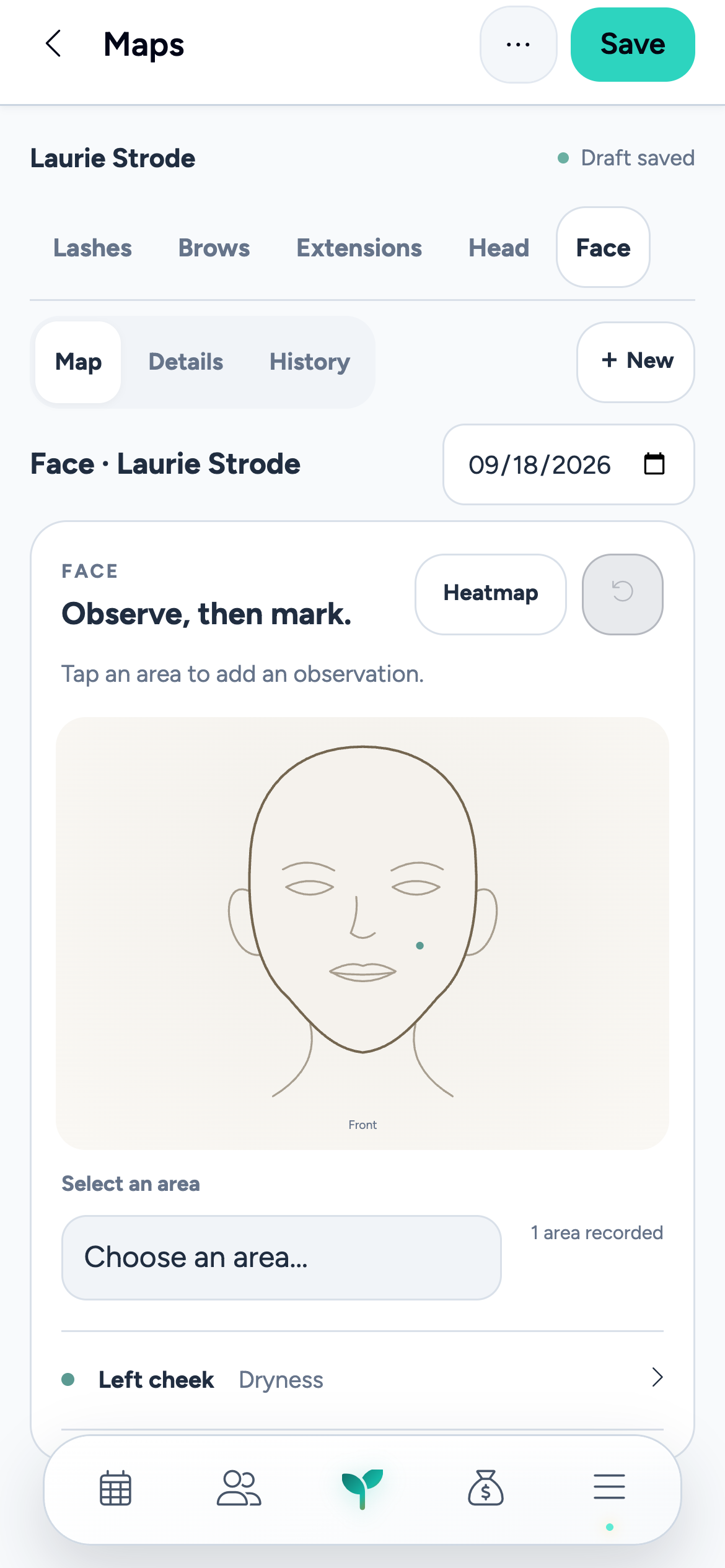
Lashes on the tablet. Face mapping on the phone. The actual tools, ready for your next detail.
Inside Comb · Fictional demo details
Hair extensions, mapped properly.
Plan curved rows and individual pieces across back, side, top, and front views. Keep the hair used with its placement, then record installation, move-ups, replacements, and the next maintenance visit.
Five ways to map your craft.
Dedicated lash, brow, extension, head, and face maps. Reuse designs, build templates, and compare visits, with photos and product details close to the work.
A starting point with Sage.
For lashes and brows, use a client photo, inspiration image, or labeled map to prepare a draft. Review the suggestions and refine the details yourself.
Formula management · Beta
Great color shouldn’t depend on a good memory.
Give every bowl, shade, and tiny adjustment a place to live. Keep formulas with the client, then bring them back into the next appointment.
Soft warmth, with a little depth at the root. Keep the face frame subtle next time.
Illustrative formula record · Fictional client, products, and amounts · Not an application recipe
Every bowl. Every little adjustment.
Record products, shades, amounts, developer, processing time, application steps, and result notes. Save variations and duplicate a formula when the next visit needs a different approach.
Keep the whole color story.
Bring together the starting canvas, target tone, inspiration, current-look photos, and finished results. Link products to your supplies and use saved formulas in the appointment.
See the direction with Sage.
Get help drafting or reviewing a formula. Once the key details are filled in, upload a clear client photo for a Sage hair-color try-on preview, then compare it with the original.
Go beyond “see you next time.” Give observations, treatment details, and aftercare a structure that fits the way you practice.
Your structure. Their story.
01 / Make the template yours
02 / Put it to work at the visit
↗
Set it up once. Make every visit count.
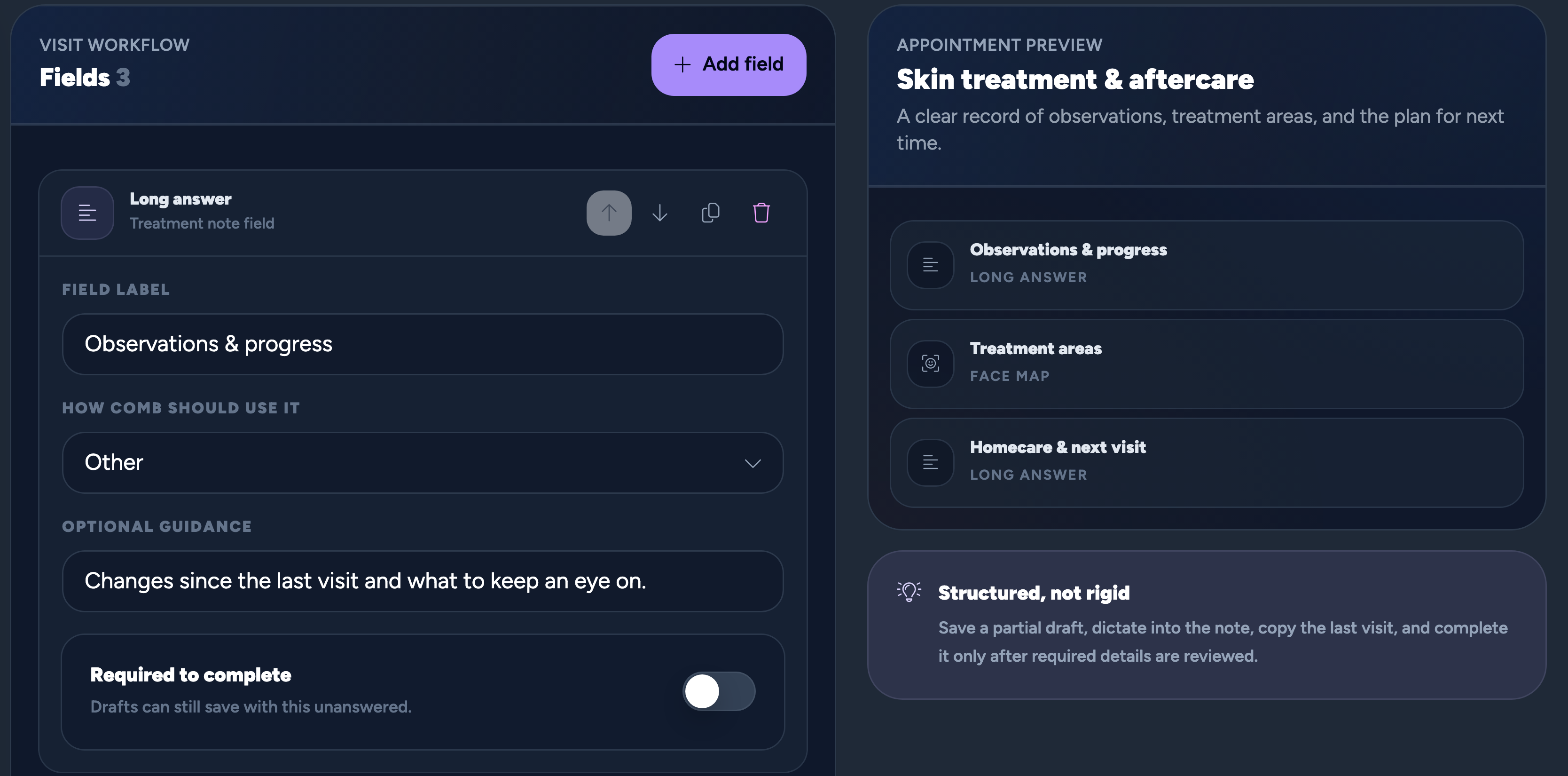
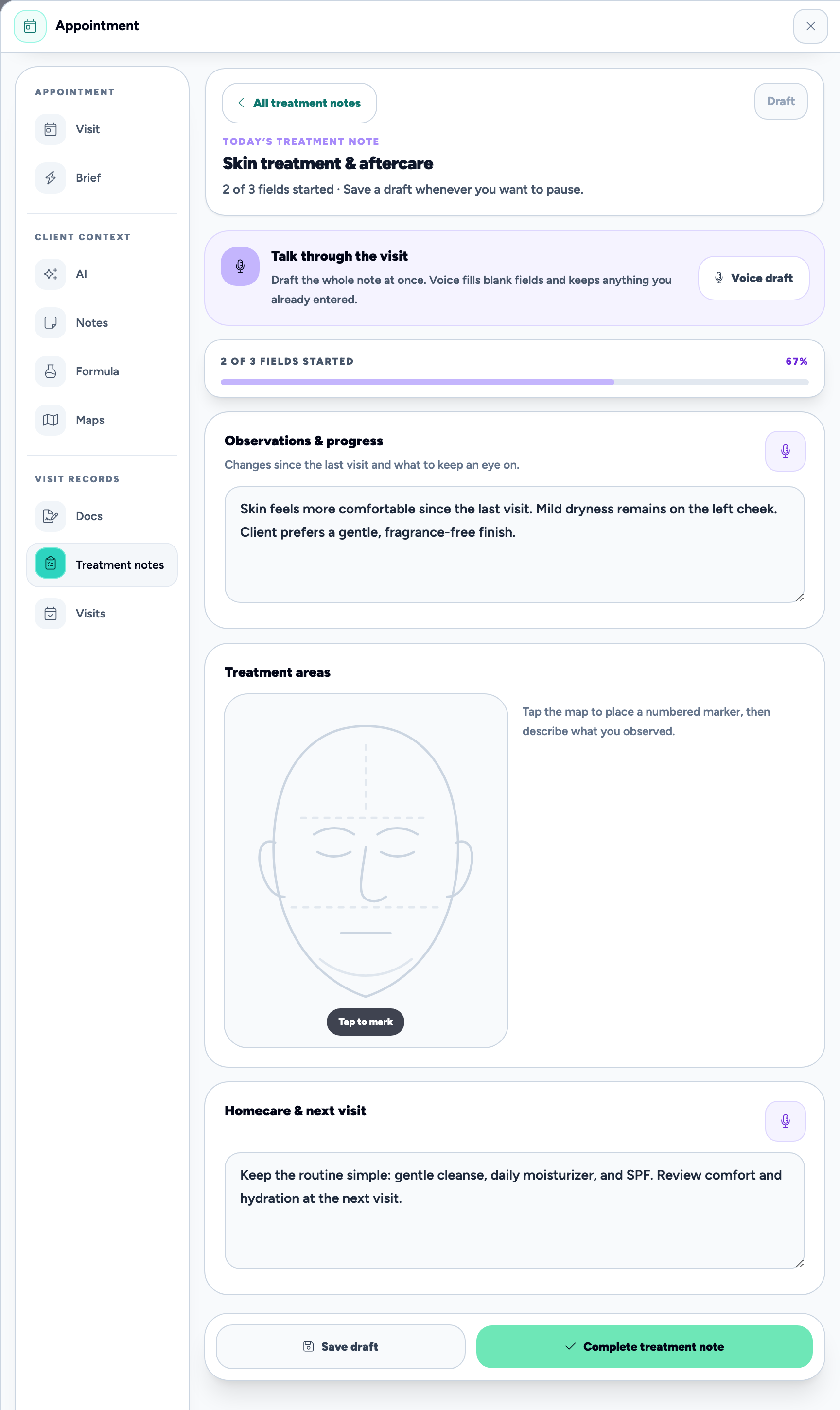
Choose your fields, then fill in the details at the appointment. Notes, maps, and next steps stay together.
Inside Comb · Fictional demo details
Build the note around your work.
Create templates with observations, treatment details, product lists, scales, and next-visit plans. Connect templates to services so the right note is suggested for the appointment.
Sometimes a picture says it better.
Add face and body maps to your treatment notes. Mark and label areas to reassess, alongside the written details of the visit.
Capture it now. Pick it up later.
Save a partial draft, dictate details for review, or copy a previous visit as a starting point. Complete the note after checking it; earlier completed versions are preserved when you unlock a record to update it.
Recurring memberships
Make being a regular an actual thing.
A cut club. A standing dose of self-care. Turn your services into a recurring offer with clear benefits and a rhythm that fits.
Your offer. Your schedule.
Choose the recurring price and billing interval, included service visits and product credits, rollover rules, and terms. Keep one-time packages as a separate option.
Keep the membership in view.
Manage pauses, cancellations, and upcoming renewal terms. See payment attempts, invoices, and earned benefits together, including payments that need attention.
Recurring payments through Bee Paid.
Membership billing requires Bee Paid setup. Successful payments grant the included benefits; pausing or canceling stops future billing while keeping benefits already earned. Processing fees apply.
Messaging & marketing
Keep in touch. Keep your evening.
A personal follow-up, a useful reminder, or a little news worth sharing. Give each message the right place.
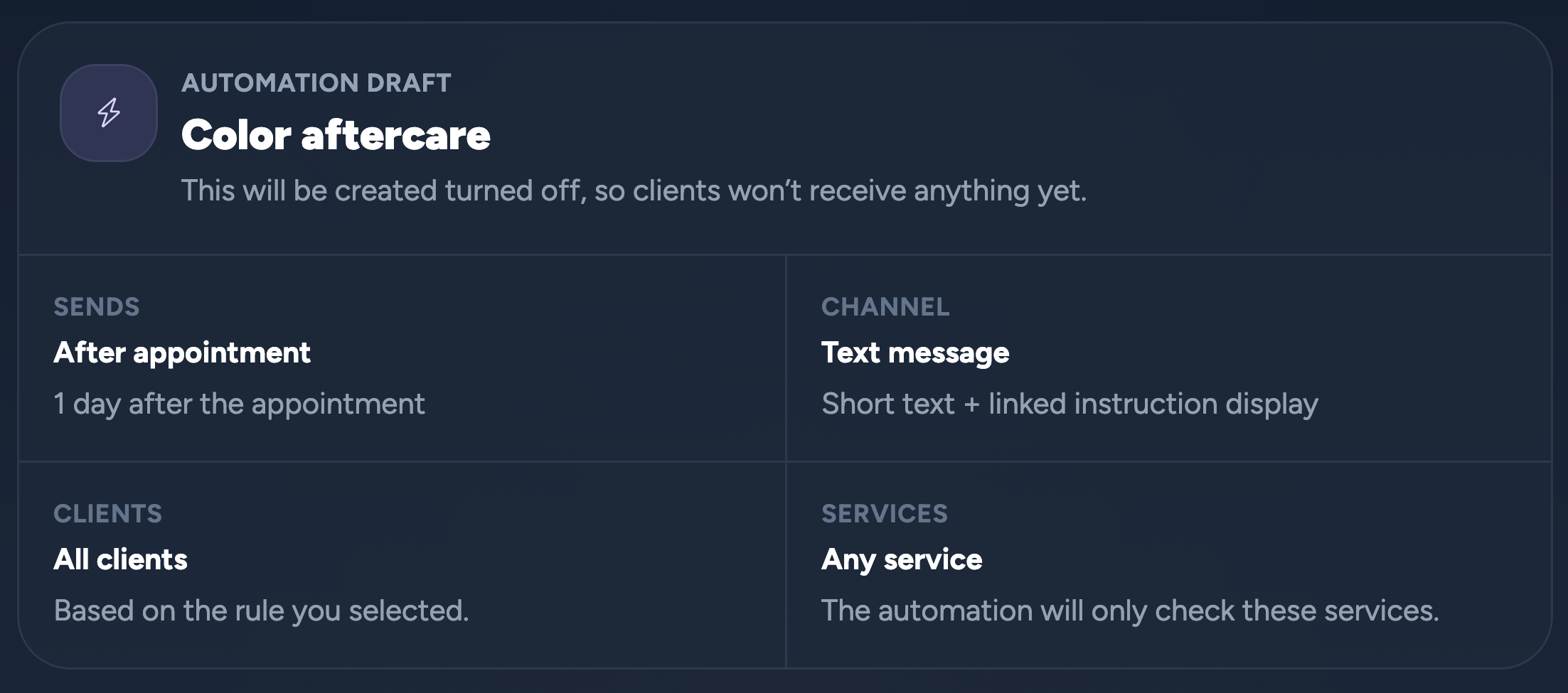
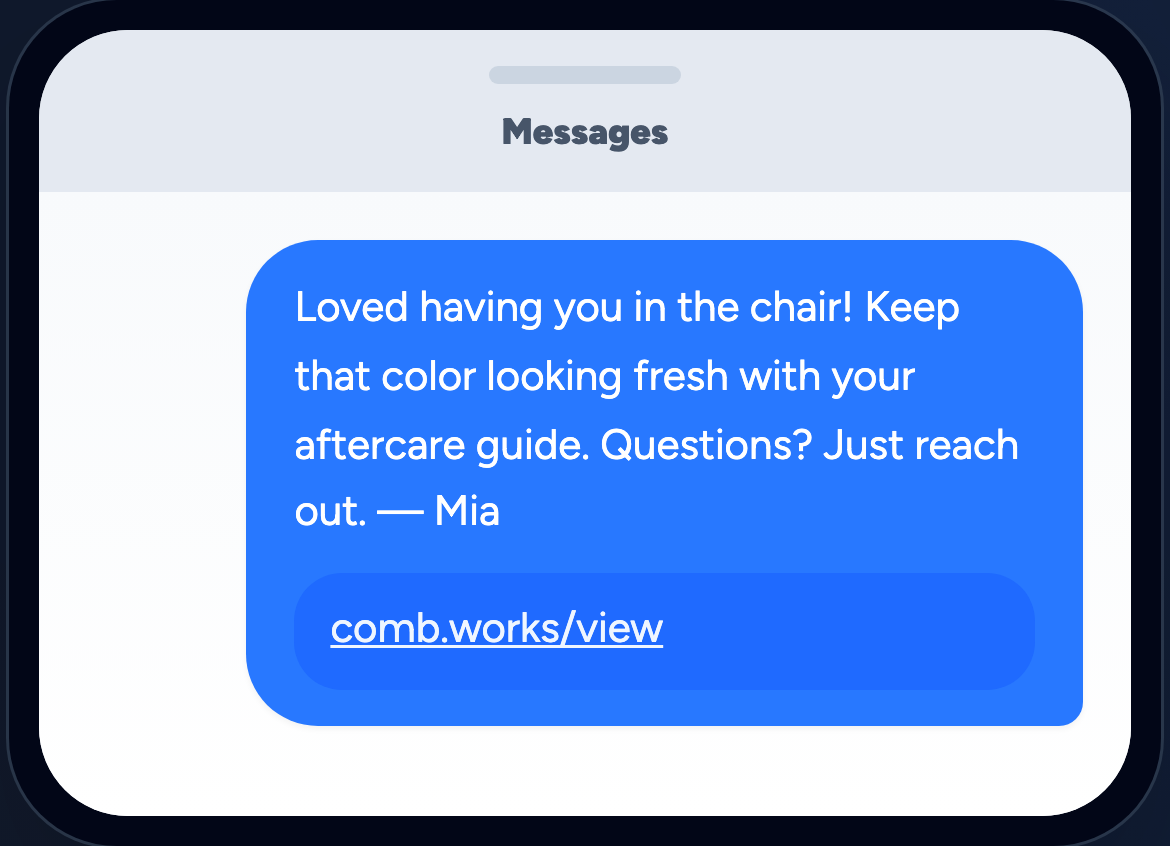
After the visit. Still looking after them.
01 / The right moment
02 / A little care, delivered
↗
Care that carries on after the chair.
Choose when it goes and who gets it. Then make the message sound like you.
Inside Comb · Fictional demo details
For the one-to-one moments.
Use Chirp for client conversations, with your business messaging close to the rest of your work.
For something worth telling everyone.
Build email and text campaigns, choose client segments, and get help from Sage with the first draft.
For the details they need on time.
Set up appointment reminders and pre- and aftercare messages around the visit.
Loyalty, packages & gifts
Give your regulars the regular treatment.
Make room for a thank-you, a little anticipation, and a reason to book the next visit.
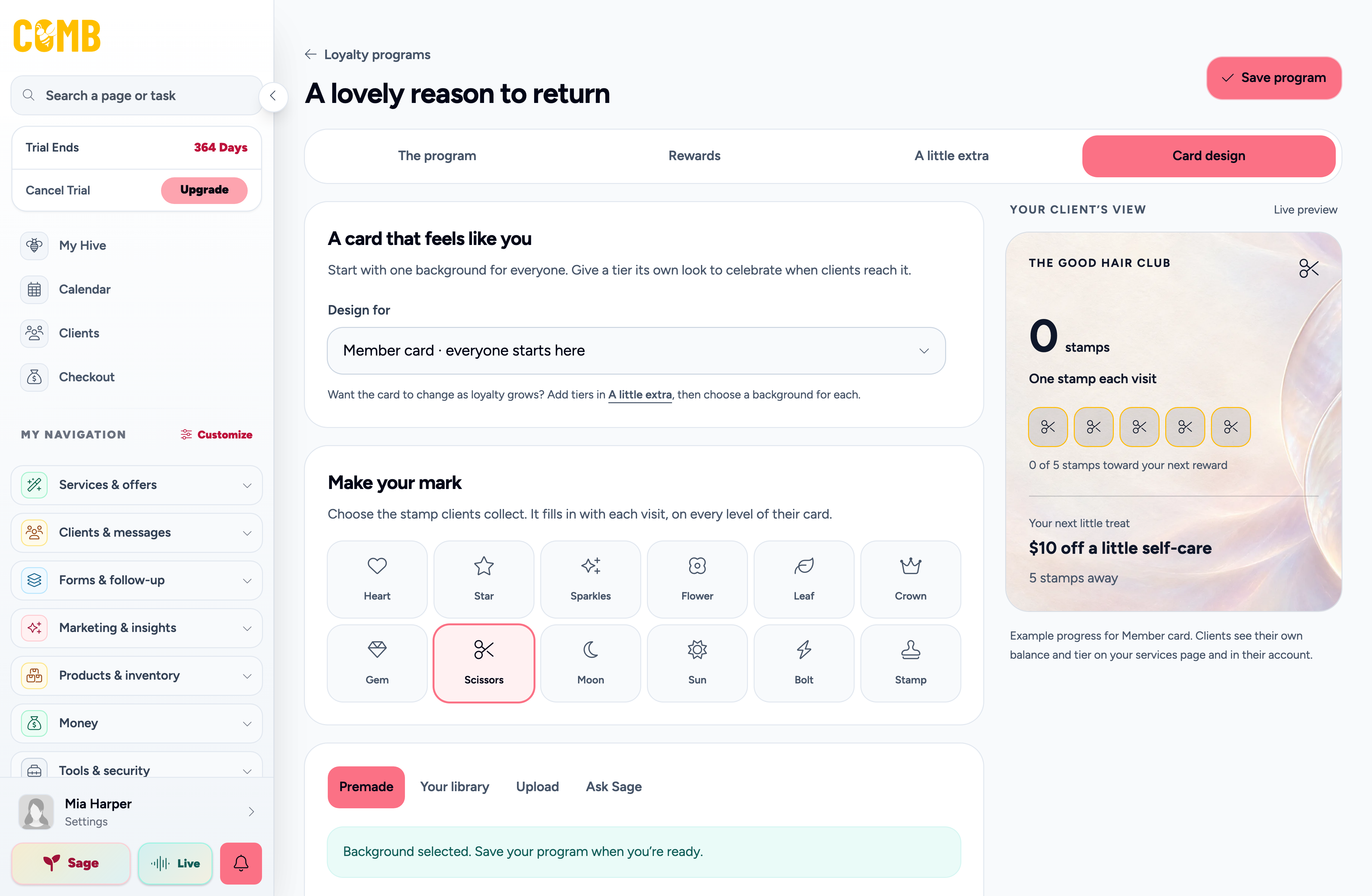
Make your regulars feel like regulars
↗
A little thank-you. Very you.
Choose the stamp and style, then see the card your clients will collect.
Inside Comb · Fictional demo details
Loyalty with your personality.
Create points or punch-card rewards, with options for tiers, birthday bonuses, and referrals. Give clients a way to see their progress.
A little more to look forward to.
Bundle visits into packages and keep track of the services a client has left to enjoy.
Good taste. Great gift.
Offer gift certificates with artwork that feels like your business. Use your own imagery or get help creating something new.
03
Look the part.
You bring the taste. Comb helps you put it out into the world.
Your website & creative tools
Big-brand energy. Your name on it.
A polished presence shouldn’t feel out of reach just because you’re doing this on your own.
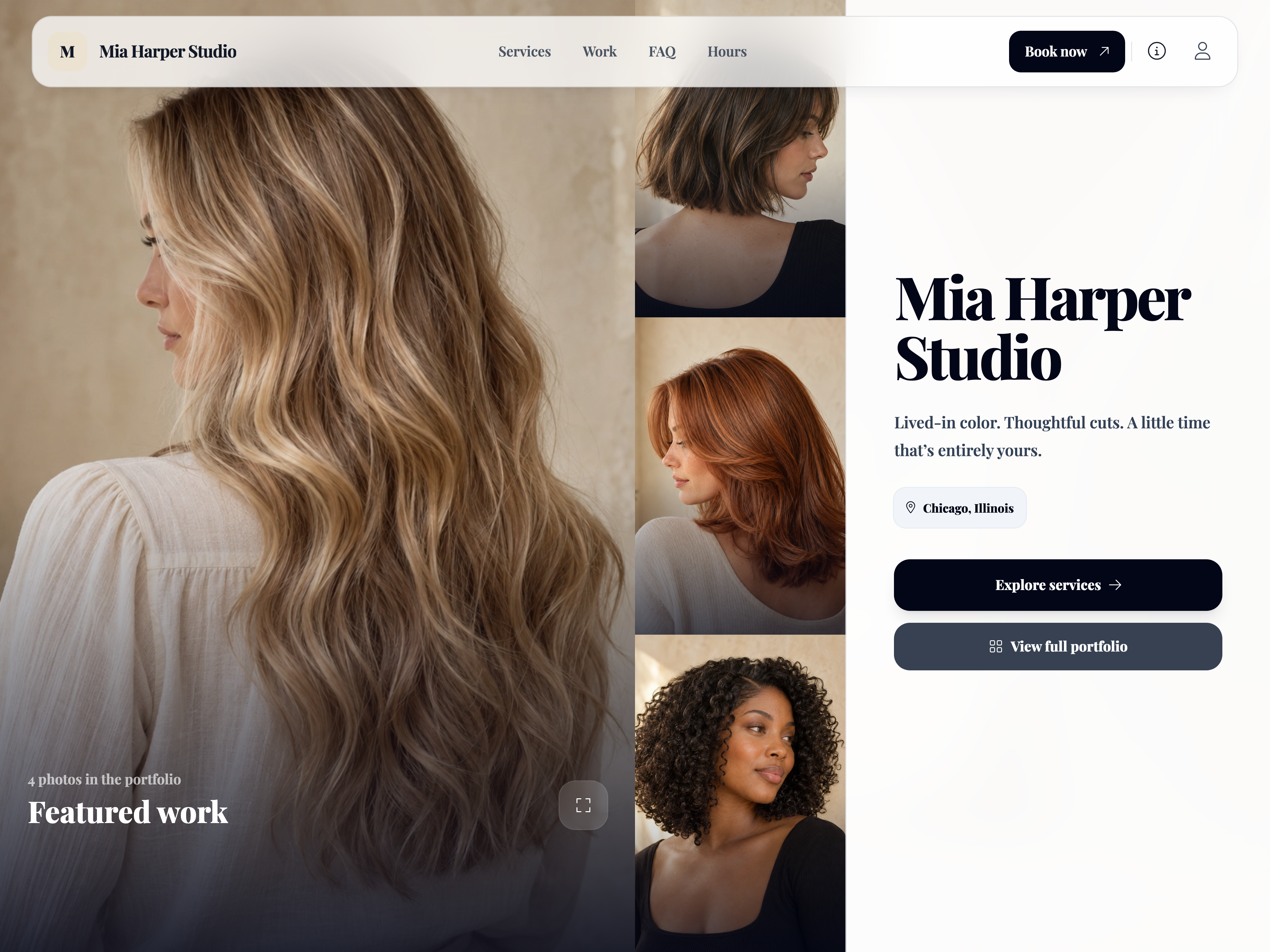
Your name. Your own corner of the internet.
↗
Look the part before they book.
Show off your work. Let Sage help with service imagery and a background that feels like your brand.
Inside Comb · Fictional demo details
A booking website that feels like you.
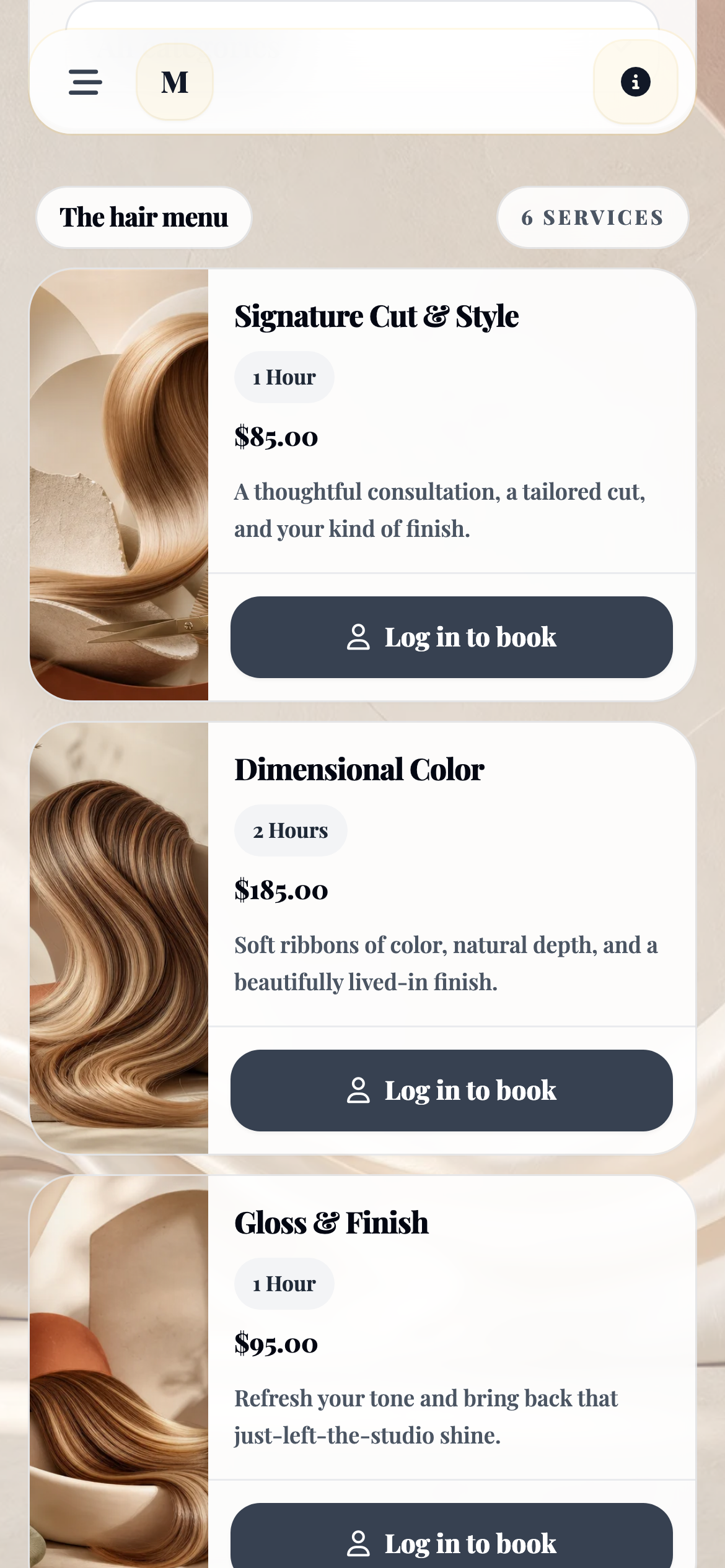
Bring your colors, service menu, and portfolio together. Give clients a place to meet your work and book their next visit.
A little creative backup.
Let Sage create service images, gift certificate artwork, and booking website backgrounds. Review what you create and choose what fits your style.
Find the words, too.
Get help drafting service descriptions and marketing copy, then make them sound like you.
SMALL BUSINESS. A WHOLE HIVE IN YOUR CORNER.
You do your thing. Your hive handles the follow-through.
Meet your Worker Bees: specialized helpers for the little jobs that keep a business moving. Following up. Finding the next booking. Leaving room for you.
Unfinished booking follow-up
01
Bring them back to the booking.
Drone
When a client starts booking and leaves before finishing, Drone can follow up with a link back to their in-progress appointment.
Waitlist outreach
02
Give an opening a next step.
Drift
Drift checks the waitlist for clients who fit an opening and can send alerts automatically. Choose small waves of outreach and optional VIP priority.
Break protection
03
Your break belongs in the calendar.
Breathe
Breathe helps protect break time as your day fills up, using your settings for break length and frequency. You can adjust the protected time when plans change.
Rebooking reminders
04
Keep the next visit in mind.
Tend
Tend uses rebooking timing to remind clients when they may be due again, with a booking link to make the next step easy. Set timing and service-matching preferences around your work.
Your messaging voice
05
Automated can still sound like you.
Echo
Give Echo a writing sample to guide the tone of supported Worker Bee messages. It helps the follow-up feel more like your business, with less rewriting from you.
Compact booking windows
06
A little less space between clients.
Swarm
Swarm shapes the online openings clients see around existing appointments. Choose a looser or tighter fit, and how bookings begin on an empty day.
Choose which Worker Bees to switch on and set their preferences. Enabled automations can run in the background; messages respect client preferences and your account’s messaging allowances.
MEET YOUR EXTRA PAIR OF EYES
Enough on your plate. A little less on your mind.
Who’s overdue? What matters before their next visit? Sage helps useful details rise to the surface, right where you’re working.
There’s even more to discover inside Comb. We keep adding new features and refining the little details, with the way you work at the heart of what comes next.
BUILT FOR INDEPENDENTS. BUILT AROUND YOU.
Your software sucks. Comb works.
Your talent deserves better than another evening of admin. Meet the tools built around the way you work.