The calendar shuffle. The client follow-up. The “I’ll figure it out tonight.” Talk it through with Sage, your assistant inside Comb. Sage can use your business records to help you get things done.
A little help. A fresh perspective. Someone to talk business with.
You: My brain has too many tabs open.
Sage
Let’s take it one thing at a time. Want to start with your schedule?
Big plans. Small questions. Start anywhere.
Meet your Comb assistant · Illustrative conversation
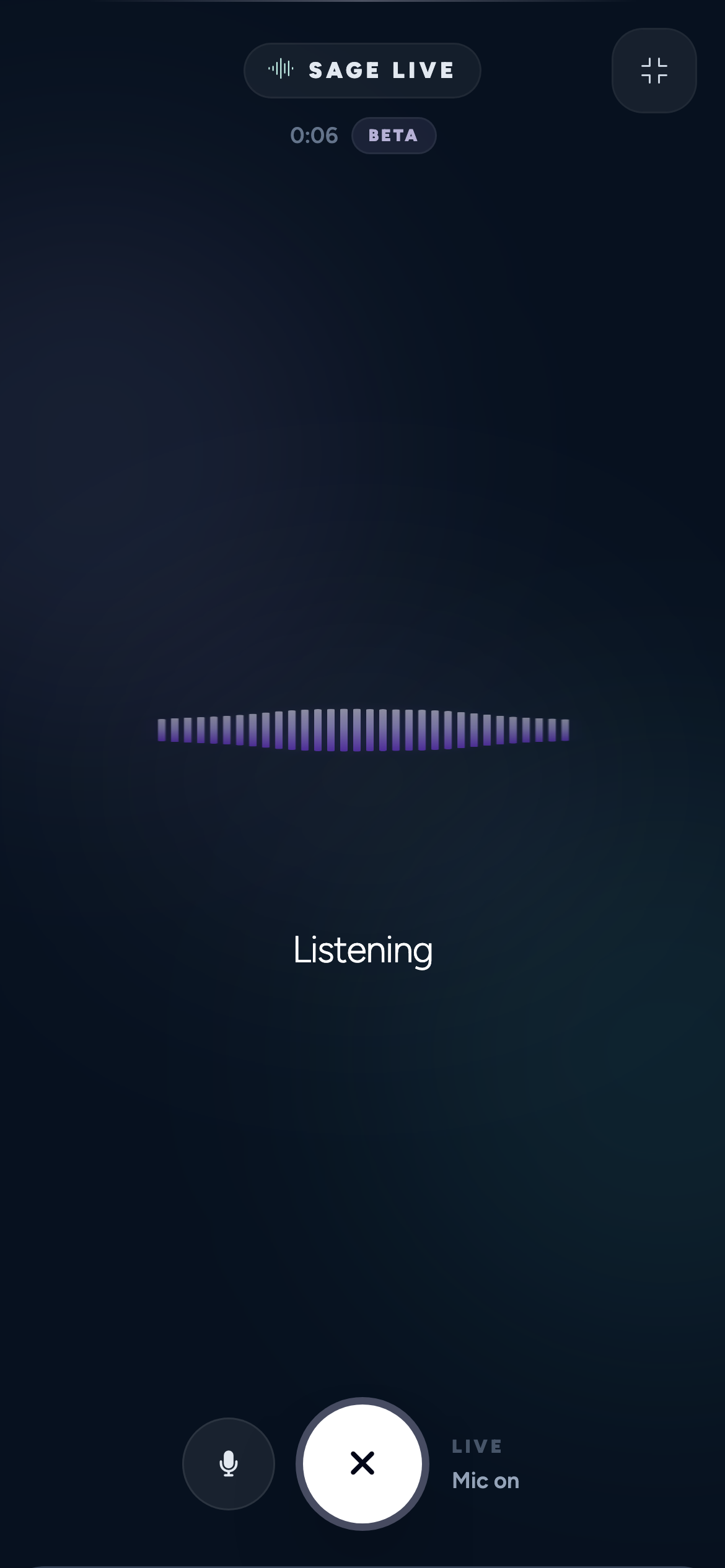
SAGE LIVE BETA
Sometimes it’s easier to just say it.
Talk to Sage out loud. Ask about your next client, think through a quieter week, or work through a business question without typing the whole thing out.
Sage Live draws on the same Comb capabilities and conversation memory as typed Sage. Work that needs your approval still comes back to you for review.
“What does my day look like tomorrow?”
ONE WAY TO START THE CONVERSATION
A two-way voice conversation
Your business context close at hand
Mute and end controls right there
Inside Comb · Sage Live on mobile · Beta
SAGE MATCH BETA
They know the look. Sage helps find the service.
Your clients shouldn’t need to speak fluent service menu. Sage Match helps them turn what they want into a booking that makes sense, right on your Comb booking site.
“I want softer, lived-in color. What should I book?”
AN EXAMPLE OF WHERE THE CONVERSATION STARTS
01
Start with their goal.
Clients answer your published questions and add details in their own words. When you enable photos, they can share their current look and inspiration, with permission.
02
Find the fit in your menu.
Sage interprets their goal and compares eligible services using your descriptions, service guidance, and optional photos. Relevant add-ons can be suggested alongside the service.
03
Explain it. Let them choose.
Clients see a short list with reasons, price where shown, duration, and any caveats. They choose what to take into booking. When your guidance or their needs call for it, a consultation can be the starting point.
THE SIGNALS BEHIND THE EXPERIENCE
Helpful for them. Measurable behind the scenes.
Comb tracks which services Sage suggests, what clients choose, and whether they finish the match. Those insights help you understand the booking journey. Recommendations use the client’s goals and the guidance you’ve added to your service menu.
Start with what you need. These are example prompts, not magic words. Ask in your own voice, then keep the conversation going.
CALENDAR & BOOKING
01
Get your day together.
Check your schedule, find an opening, prepare a booking, move appointments, or protect some personal time.
“What does my schedule look like tomorrow?”
More ways to ask +
“Find an opening for a cut and style next week.”
“Block next Friday afternoon for personal time. Show me before saving.”
CLIENTS & CARE
02
Know the person in your chair.
Look up visit history and notes, find clients due back, and prepare updates to profiles, preferences, tags, and the waitlist.
“Which clients are overdue for their usual return visit?”
More ways to ask +
“What notes do I have for Sidney Prescott?”
“Add Laurie Strode to the waitlist for a haircut next week. Show me first.”
ANSWERS & REPORTS
03
Ask a question. Get the numbers.
Explore revenue, tips, appointments, cancellations, and service activity. Ask for a downloadable CSV when you need to take the detail with you.
“How is this month going compared with last month?”
More ways to ask +
“How much did I collect in tips last month?”
“Make a week-by-week CSV of revenue, tips, and appointments this year.”
MARKETING & MESSAGING
04
Give the blank page a day off.
Prepare campaign ideas, client audiences, and personal messages. Review the people and the wording before anything goes out.
“Draft a campaign for slow days this week.”
More ways to ask +
“Create an audience of clients who have not booked in three months.”
“Draft a friendly check-in for Sidney Prescott. Show me before sending.”
SERVICES, FORMS & FOLLOW-UP
05
Build it by asking.
Prepare services, packages, intake forms, waivers, and follow-up automations from a description of what you need.
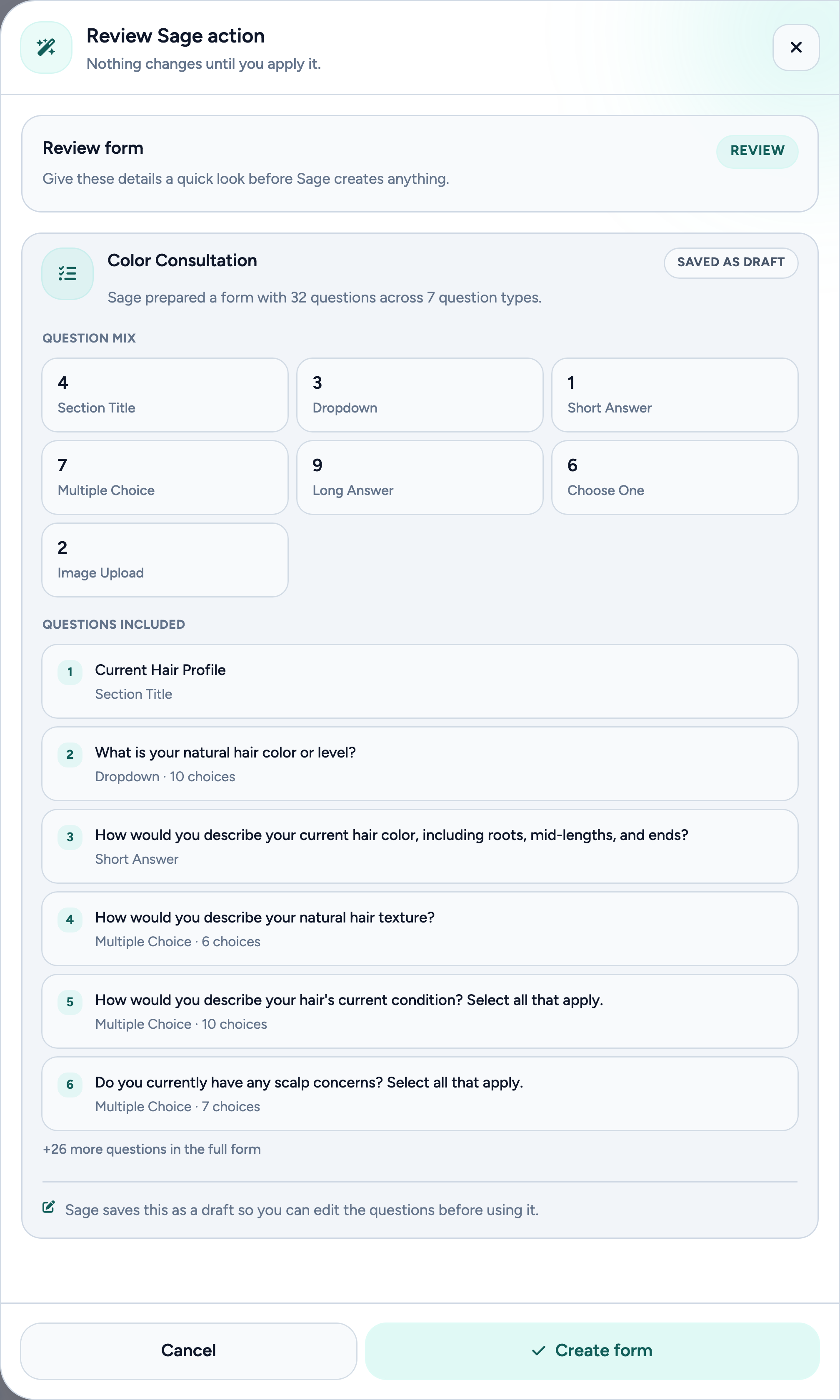
“Create a color consultation form with hair history and color goals.”
More ways to ask +
“Draft a three-visit blowout package.”
“Help me create a color-aftercare automation.”
EXPENSES & STOCK
06
Make sense of the business bits.
Prepare one-off or recurring expenses, ask about recorded supply spending, and see which products need attention based on your saved stock levels.
“Add a recurring $850 monthly studio-rent expense. Show me first.”
More ways to ask +
“What did I spend on supplies last month?”
“Which products are running low?”
TREATMENT NOTES & CHARTING
07
Get the visit down properly.
Build treatment-note templates and prepare appointment charts from the details you supply. Review the client, visit, and complete note before saving.
“Create a treatment-note template with observations, homecare, and a face map.”
More ways to ask +
“Add a next-visit plan and a comfort scale to my new template draft.”
“Help me chart Laurie Strode’s appointment. Ask for the details you need, then show me before saving.”
MEMBERSHIP OFFERS
08
Give your regulars a club.
Describe a recurring offer and have Sage prepare the membership for review, including your price, billing schedule, and included services. Recurring billing requires Bee Paid.
“Draft an $85 monthly cut club with one Signature Cut & Style visit and no rollover.”
More ways to ask +
“Help me draft the description for my new membership using its included benefits.”
“Prepare a three-month membership offer. Ask me about the price and benefits first.”
HOURS & BOOKING RULES
09
Make room for how you work.
Understand what clients can book, investigate missing availability, and review changes to working hours, booking rules, and Breathe settings.
“Why might clients not be seeing appointment times?”
More ways to ask +
“Review my online booking settings.”
“Help me make room for breaks with Breathe.”
PRICING & DECISION LAB
10
Try the what-if first.
Explore scenarios for service prices, open time, working hours, client recovery, and cancellations. See the assumptions before making a change.
“What if I raised my haircut price by $5?”
More ways to ask +
“What could filling a few open hours change?”
“What would one fewer workday mean for my available time?”
MOMENTUM & WATCH
11
Give your goal a next step.
Build a plan around a business goal, track steps and check-ins, and have Watch look for changes that matter to the plan.
“Help me work toward an extra $500 this month without another workday.”
More ways to ask +
“What is the next step in my Momentum goal?”
“Check my goal and tell me whether I am on pace.”
Some tools depend on your setup and available business history. Sage prepares changes for review; you decide what gets applied or sent.
Inside Sage · A real form draft prepared in the demo account
FROM “I NEED…” TO “LET ME SEE.”
Say what you need. Skip the blank start.
Ask for a color consultation form. Describe a new service. Work out a follow-up. Sage can prepare the details inside Comb, so you have something concrete to review.
01
Describe the job.
Use your own words and add the details that matter.
02
Look it over.
Check what Sage prepared and ask for adjustments.
03
Give it the go-ahead.
Confirm the change when it’s right for your business.
SAGE, RIGHT WHERE YOU CREATE
Start with inspiration. Make it your own.
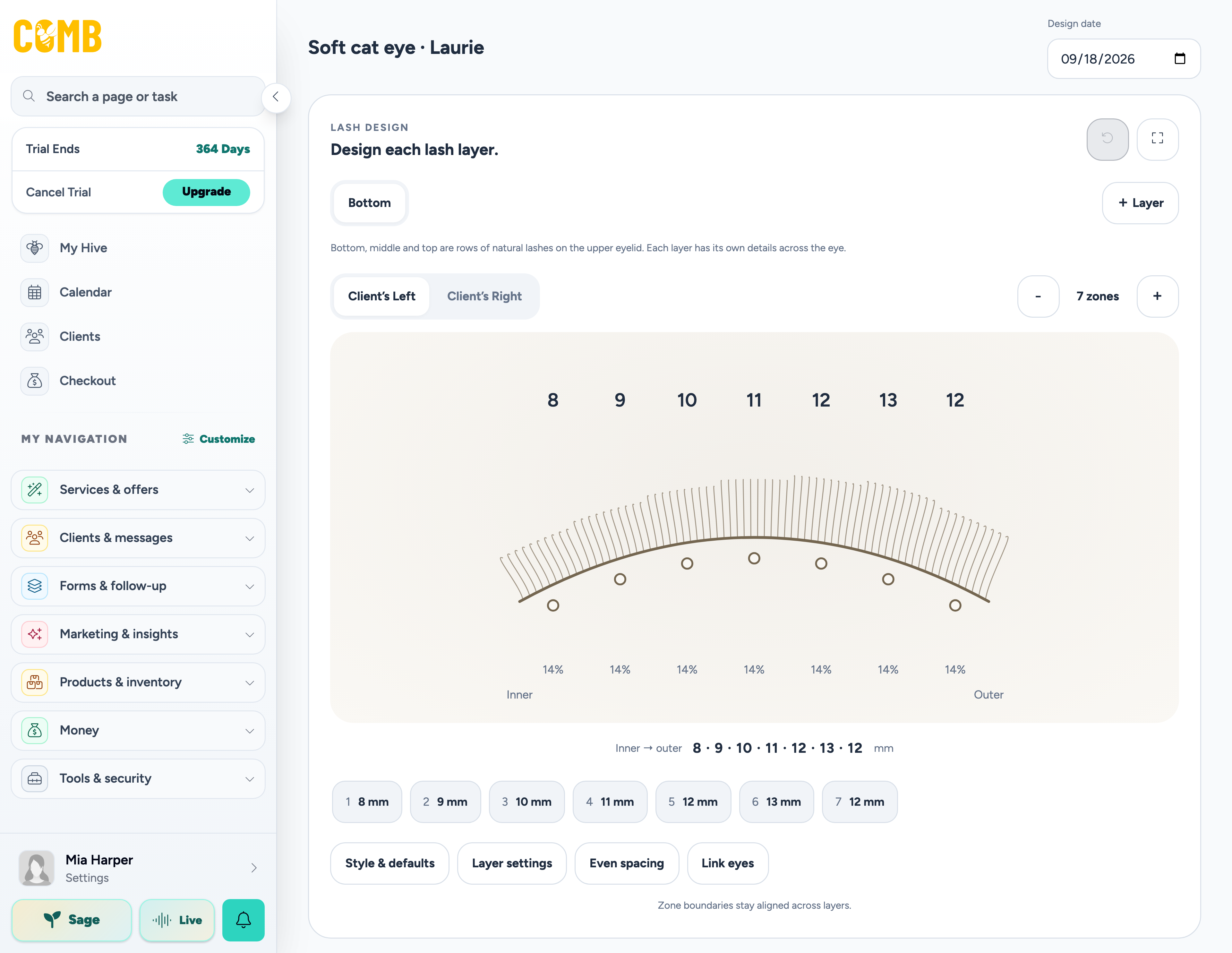
Inside lash and brow mapping, Sage can help prepare a starting draft from a client photo, inspiration image, or labeled map. Review the suggestions, refine the placement, and keep the professional decisions yours.
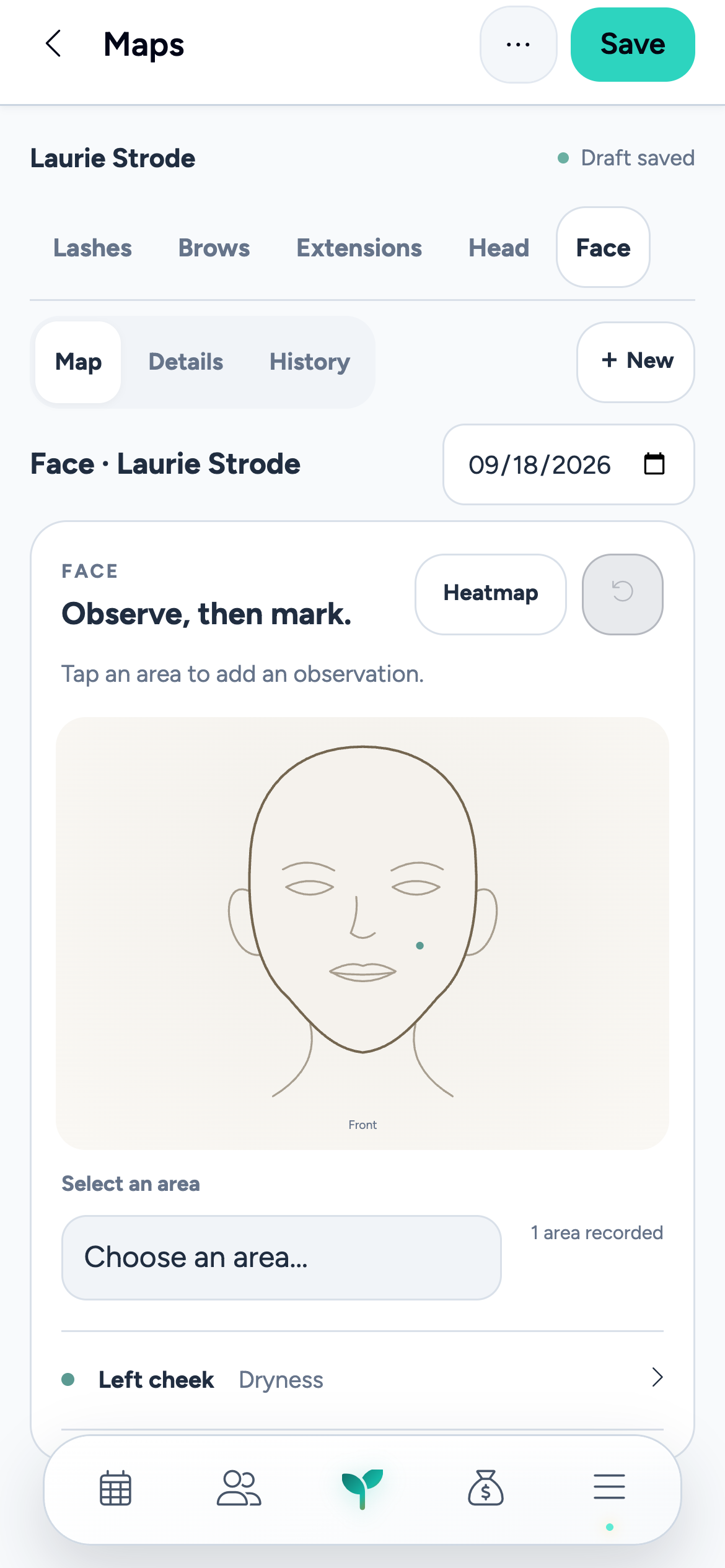
Comb’s dedicated hair extension maps record rows, individual pieces, and maintenance details. Head and face maps keep other placement and treatment records close, too.
Lash mapping on the tablet; face mapping on the phone.
Inside Comb · Fictional demo details
SAGE COLOR PREVIEW · FORMULAS BETA
Before the color. Try the conversation.
Upload a clear client photo to preview the color direction from your completed formula. Switch between the original and Sage’s preview during the consultation.
A consultation visual, not a promised result. Actual color depends on the starting hair, porosity, product chemistry, timing, and strand testing. You review the formula and make the professional decisions.
Soft warmth, with a little depth at the root. Keep the face frame subtle next time.
Illustrative formula record · Fictional client, products, and amounts · Not an application recipe
LESS REINTRODUCING YOURSELF
Your business. Your way of doing it.
Sage gets to know how you like to work through the preferences and goals you share. That context carries across typed conversations, Sage Live, and Momentum.
Your way of communicating.
Tell Sage you like short answers or warm, straightforward client copy. Stated preferences can carry into later conversations.
The business you’re building.
Share the longer-term goals and working preferences that matter to you, so the next conversation has a little more context.
Today’s facts, checked today.
For appointments, client details, prices, and totals, Sage checks your current Comb records. Remembering your preferences is different from remembering an old number.
TRY TELLING SAGE
“I prefer short, friendly client messages. My long-term goal is a four-day workweek.”
Your preferences add context. They never replace your approval.
FOR THE BUSINESS YOU WANT NEXT
A little less guessing. A next step you can see.
DECISION LAB
Think through the “what if.”
Explore a price change, a different working week, or filling open time. Sage helps you look at the assumptions and a range of possible results before you commit.
Scenarios help you explore choices. They aren’t promises of future revenue.
MOMENTUM & WATCH
Give a good intention a plan.
Turn a goal into steps, check-ins, and progress you can revisit. Watch can flag changes such as bookings slowing, overdue clients, or a goal slipping off pace.
You choose the goal and review the work. Sage helps you keep the thread.
HELP BEFORE YOU EVEN ASK
Some things deserve a little nudge.
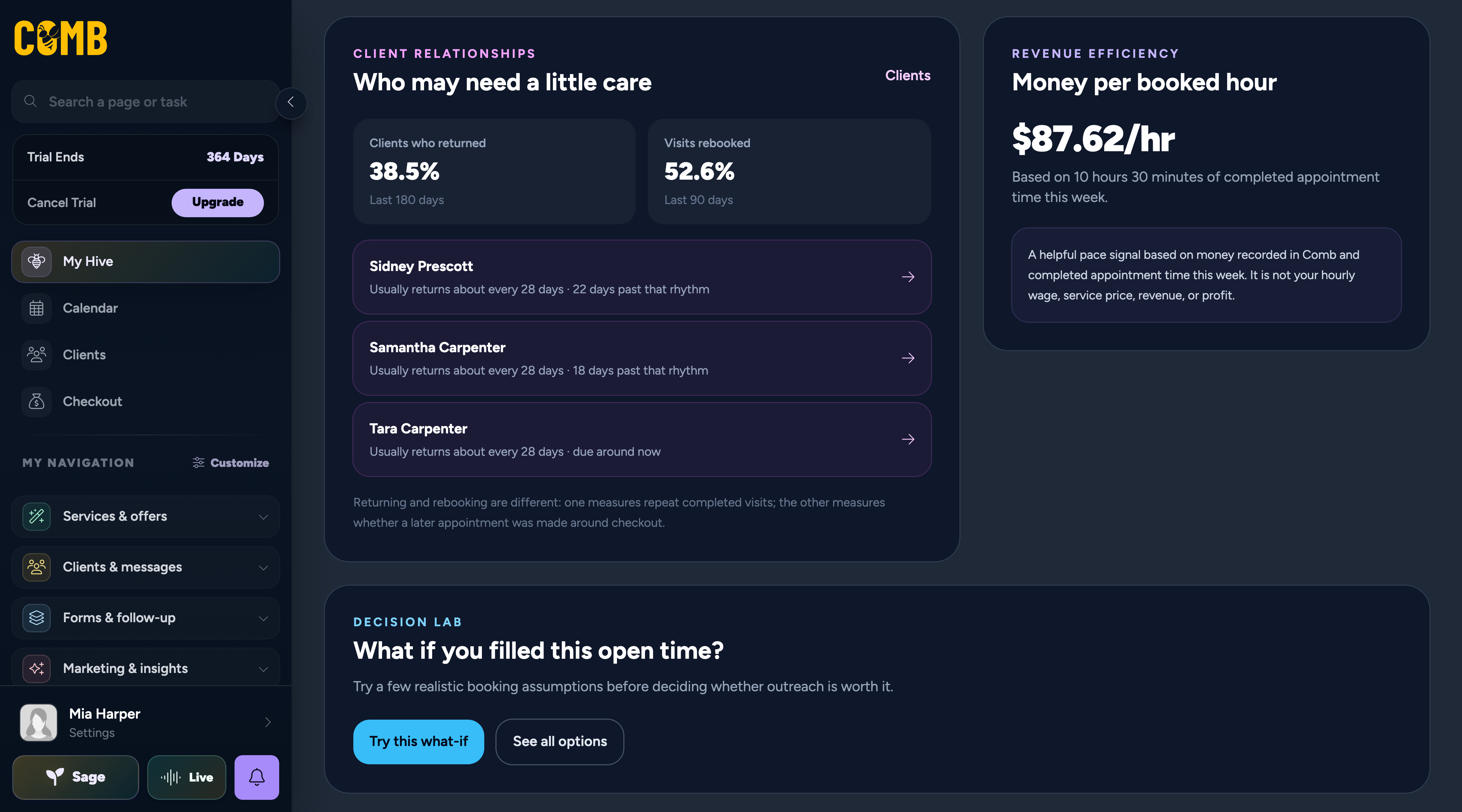
Sage also surfaces useful signals in My Hive and client profiles. Notice who’s past their usual return time, then bring their story into the next conversation.
YOUR CLIENTS, KEPT CLOSEA little context goes a long way.
FROM YOUR MY HIVE DASHBOARD
Who’s due a little love?
A familiar face hasn’t been back. Sage helps you notice.